Hellooooww there !
Oufff… what a journey into the Terminal, Git & Javascript !!! Congratulations ! You survived ! Today, we will start our route to HTML and CSS.
HTML is a markup language (like Markdown).
What does that mean ?
Markup language is a text-encoding system consisting of a set of symbols inserted in a text document to control its structure, formatting, or the relationship between its parts.
Basically, we use marks to define what is a heading, what is a paragraph, a list, a quote, a table, etc. so it can be understood and displayed as such.
Think of that :
If you were speaking on the phone with someone and trying to tell him how to write this article (don't read it. It's just an illustrative image :P) :
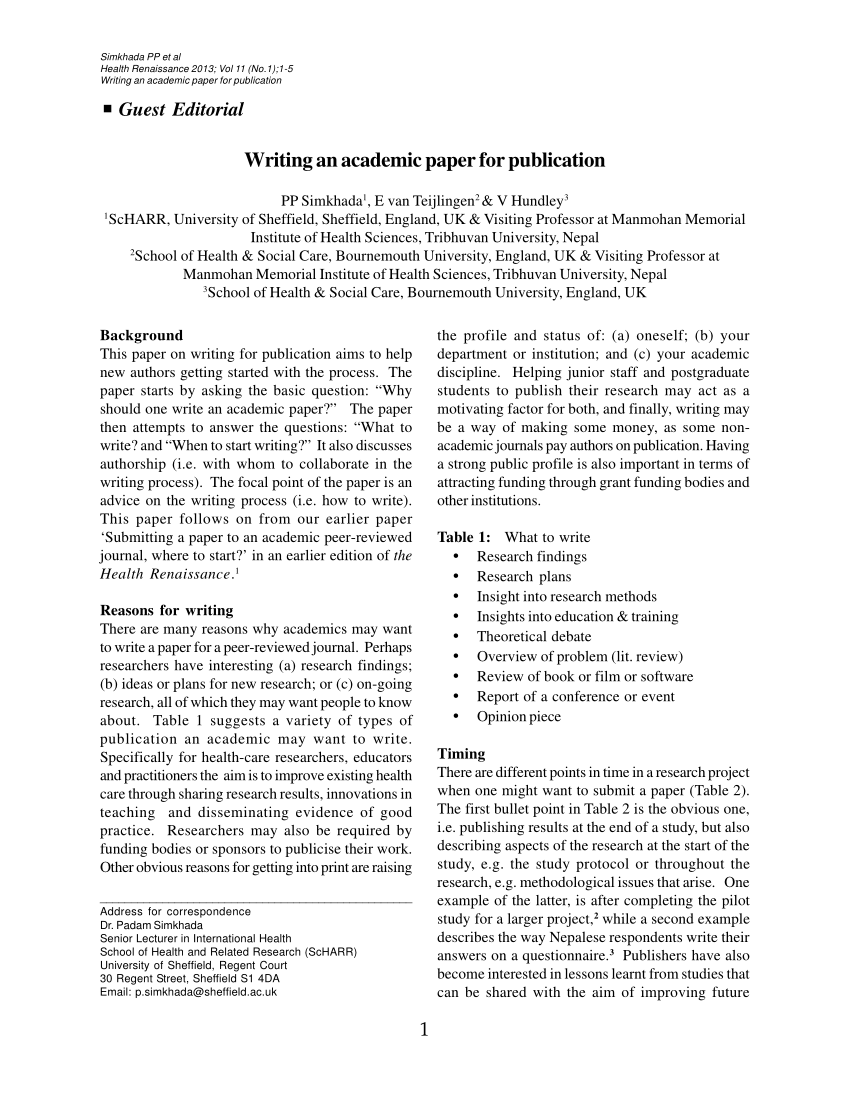
You will have to tell him that the title content is “Writing an academic paper for publication” and that it's bold and bigger than the rest of the main text. That the subtitles are bold as well, but smaller than the main title and bigger than the regulat text, etc, etc.
The same thing you do with markdown and Html. You are constantly describing the purpose and form of content you're writing.
As you saw, the marks on Markdown look like something like that :
# Main title
## Secondary title
- List item
**bold** text
etc.
In a markdown reader (like the one you have in front of your eyes right now), this renders :
- List item
bold text
HTML has marks as well, which are slightly different and much more robust. They are so close in their terms that you can even convert one into the other.
We could have the same result with :
<h1>Main title</h1>
<h2>Secondary title</h2>
<ul>
<li>List item</li>
</ul>
<p><strong>bold</strong>text</p>
Test this. (not ideal but it makes my point)
HTML was invented by Tim Berners Lee on 1989 in order to help describe the structure of academic papers on the very early internet, when its main purpose was to share academic papers among peers.
An academic paper is a text that follows very precise conventions (header, subheader, sections, paragraphs, lists, tables, images, etc) in a very clear hierarchy.
HTML, in a Microsoft Word style, can define that a specific piece of text is the title, a subtitle, that a specific word is bold, etc. And… Brand new on the web : we can now create links ! So if an article makes reference to another, we can click it and redirect to the other one.
From that, we get to a very obvious and sad realization : HTML was NOT created to build the very complex modern websites we have today. Developing modern websites is a constant hack of a language and styling convention in order to make HTML compliant with our needs.
That's why it's so important to understand how to structure an HTML page, a language that was really not supposed to do this.
OK… let's try to get there fast !
Watch these increasingly longer videos :
CLICK => HTML in 100 Seconds
CLICK => HTML in 5 minutes
CLICK => HTML Crash Course For Absolute Beginners (1h)
That's gonna be a 67 minute journey (shorter if you set the speed higher) to get a solid foundation for it.
With these and the reading of the MDN Web Docs as support, you are expected to understand :
- Headings
- Paragraph
- The HTML boilerplate
- Lists (ordered, unordered)
- The use of images
- Anchor tags
- How to comment an HTML code
- The use of tables (aarrfff… that's a pain in the butt)
- Forms :
- Inputs
- text, checkbox, radio, textarea, select, range…
- Labels
- Button
- Inputs
- attributes
- class
- id
- src
- href
- data-attributes
I know HTML can be pretty simple and many of you already have a background on it, but make an effort and push your knowledge of HTML to its limit. You'll only have today to fully commit to it. So make it count 😊
If there is something in this list you're not sure you have mastered, go look for it !
Gone through it ? Go to the next document to find a series of exercises. But before... watch these usefull tips :
CLICK => Emmet short CLICK => Emmet tutorial
You really want to go deep ? Take a little longer to become a master in HTML :
CLICK => HTML Crash Course in 4 hours