This plugin allows you to comment/uncomment multiple lines of code at a time, supports various language's, templating engines, files, setting up custom keybindings and more.
v1.0.9
Check changelog section for details
- Install Code Commenter Plugin from
Acode App > Settings > Plugins > And search here for Code Commenterand install it
Select the code you want to comment/uncomment then click the comment button (//) to make it happen. Also you comment using keybindings. The default keybinding is Ctrl+U, you can edit it from the settings page.
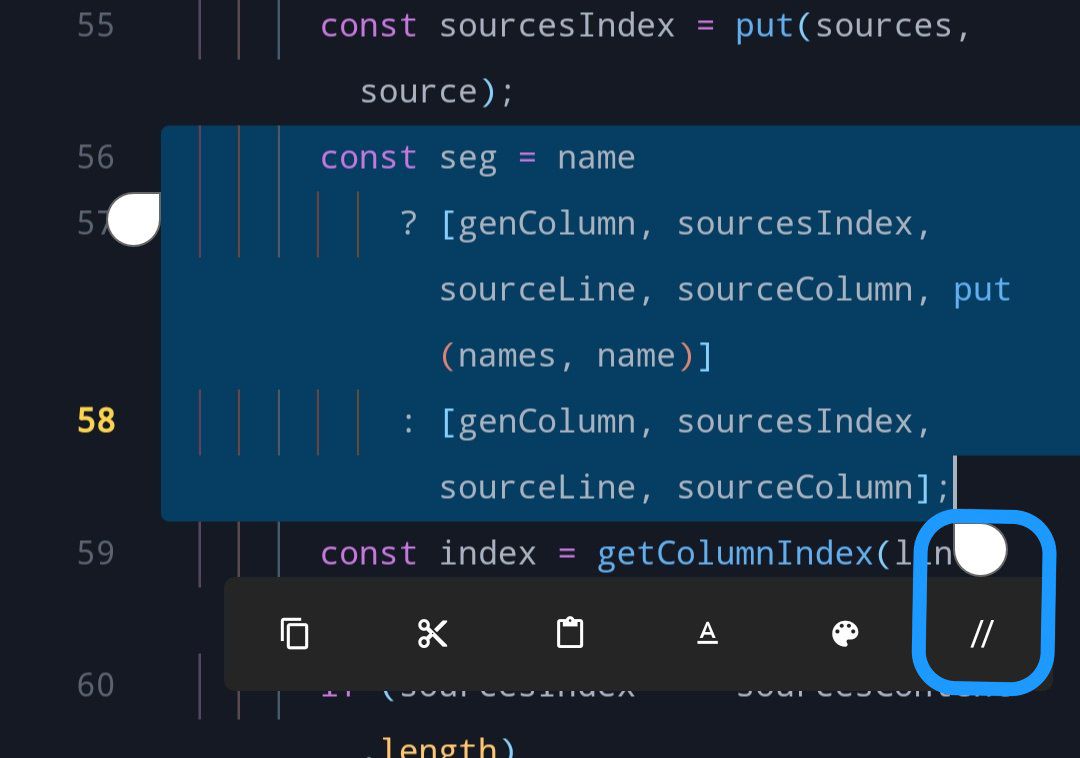
- C/C++
- Clojure
- C#
- Css
- Dart
- Go
- Haml
- Html
- Haskel
- Java
- JavaScript
- Kotlin
- Lua
- PHP
- Perl
- Python
- Ruby
- Rust
- Shell
- Swift
- SQL
- SQLite
- TypeScript
- Blade
- HandleBars
- Liquid
- Mako
- Mustache
- Pug
- Smarty
- Twig
- Velocity
- .env
- .gitignore
- Dockerfile
- Makefile
- Toml
- Xml
- Yaml
Want to see the code? click here and don't forget the little star!
Found bugs? know how to fix report here!
👾 Thanks for using our plugin!