- GitHub Stats Card
- GitHub Extra Pins
- GitHub Gist Pins
- Top Languages Card
- WakaTime Stats Card
- All Demos
- Quick Tip (Align The Cards)
Warning
By default, the stats card only shows statistics like stars, commits, and pull requests from public repositories. To show private statistics on the stats card, allow GitHub-Stats-Extended to access your private contributions or deploy your own instance.
Note
Available ranks are S (top 1%), A+ (12.5%), A (25%), A- (37.5%), B+ (50%), B (62.5%), B- (75%), C+ (87.5%) and C (everyone). This ranking scheme is based on the Japanese academic grading system. The global percentile is calculated as a weighted sum of percentiles for each statistic (number of commits, pull requests, reviews, issues, stars, and followers), based on the cumulative distribution function of the exponential and the log-normal distributions. The implementation can be investigated at src/calculateRank.js. The circle around the rank shows 100 minus the global percentile.
You can pass a query parameter &hide= to hide any specific stats with comma-separated values.
Options:
&hide=stars,commits,prs,issues,contribs
You can pass a query parameter &show= to show any specific additional stats with comma-separated values.
Options:
&show=reviews,discussions_started,discussions_answered,prs_merged,prs_merged_percentage,prs_authored,prs_commented,prs_reviewed,issues_authored,issues_commented
To enable icons, you can pass &show_icons=true in the query param, like so:
To compute your stats for only a specific repository, you can pass a query parameter &repo=<user_or_organization>/<repository>. You can also specify a comma-separated list of multiple repositories, e.g. &repo=userA/repositoryA,organizationB/repositoryB. And you can select all repositories owned by specific organizations or users by providing a comma-separated list of owners via the owner query parameter, e.g. &owner=userA,organizationB,organizationC. The repo and owner filters are supported by the following items: commits (when used with &include_all_commits=true), prs_authored, prs_commented, prs_reviewed, issues_authored and issues_commented. Note that most of these items are not displayed by default, but you can enable them individually.
(Some of these mentioned items are similar to other items which are included by default, e.g. issues_authored is similar to issues. The difference is how these values are fetched - via GraphQL or via REST API. The default items use GraphQL, but filtering by repository works better via REST API.)
Alternatively, you can use the role parameter to specify a comma-separated list of roles. The stats will include all repositories in which the user has the specified role. By default, only repositories where the user is OWNER will be included, but you could e.g. set &role=OWNER,ORGANIZATION_MEMBER,COLLABORATOR. The role parameter is supported by all items except the following: commits (when used with &include_all_commits=true), prs_authored, prs_commented, prs_reviewed, issues_authored and issues_commented.
You can specify a year and fetch only the commits that were made in that year by passing &commits_year=YYYY to the parameter.
With inbuilt themes, you can customize the look of the card without doing any manual customization.
Use &theme=THEME_NAME parameter like so :
GitHub Stats Extended comes with several built-in themes (e.g. dark, radical, merko, gruvbox, tokyonight, onedark, cobalt, synthwave, highcontrast, dracula).
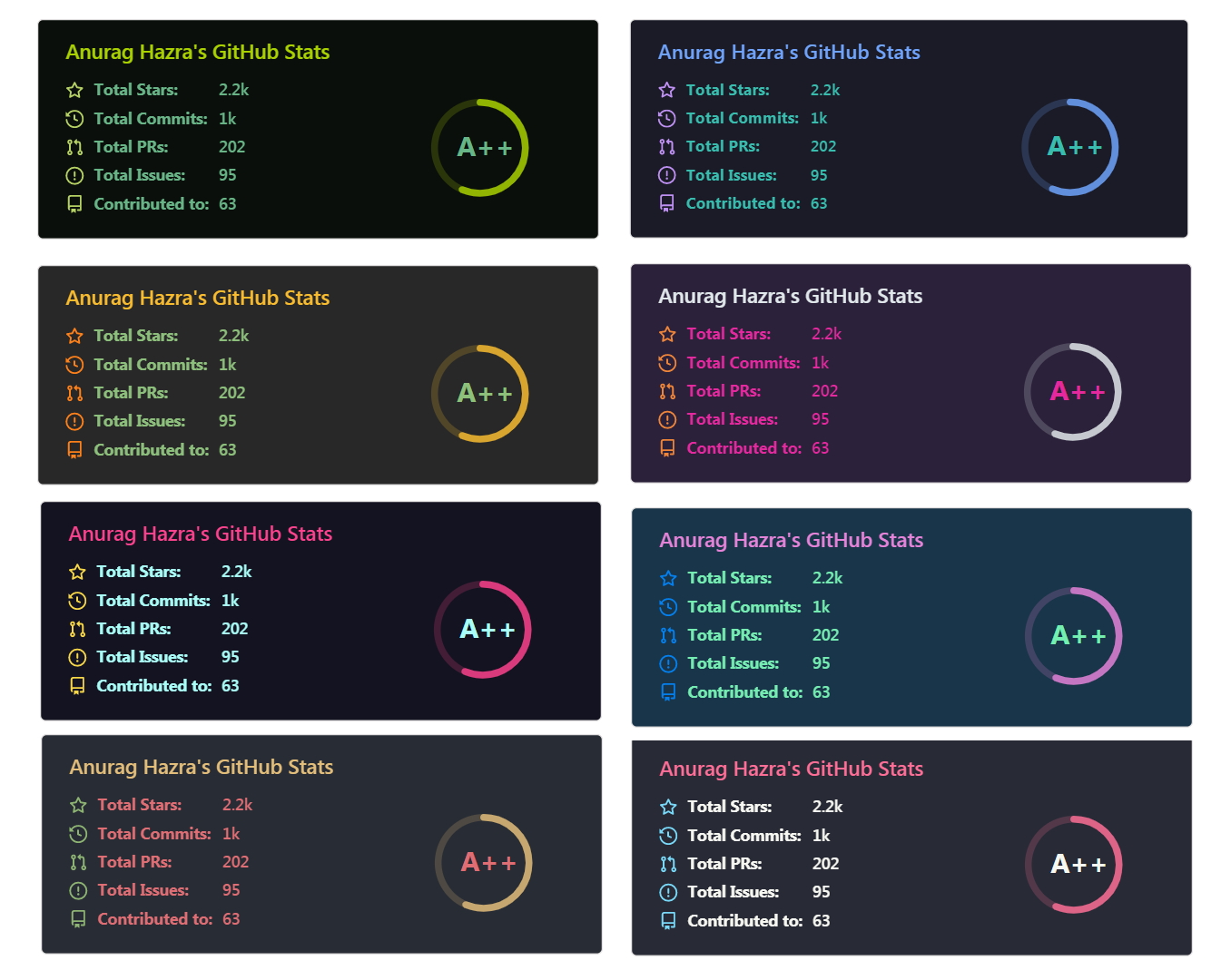
You can look at a preview for all available themes or checkout the theme config file. Please note that we paused the addition of new themes to decrease maintenance efforts; all pull requests related to new themes will be closed.
Since GitHub will re-upload the cards and serve them from their CDN, we can not infer the browser/GitHub theme on the server side. There are, however, four methods you can use to create dynamics themes on the client side.
We have included a transparent theme that has a transparent background. This theme is optimized to look good on GitHub's dark and light default themes. You can enable this theme using the &theme=transparent parameter like so:
👀 Show example
You can use the bg_color parameter to make any of the available themes transparent. This is done by setting the bg_color to a color with a transparent alpha channel (i.e. bg_color=00000000):
👀 Show example
You can use GitHub's theme context tags to switch the theme based on the user GitHub theme automatically. This is done by appending #gh-dark-mode-only or #gh-light-mode-only to the end of an image URL. This tag will define whether the image specified in the markdown is only shown to viewers using a light or a dark GitHub theme:
[](https://github.com/stats-organization/github-stats-extended#gh-dark-mode-only)
[](https://github.com/stats-organization/github-stats-extended#gh-light-mode-only)👀 Show example
You can use GitHub's new media feature in HTML to specify whether to display images for light or dark themes. This is done using the HTML <picture> element in combination with the prefers-color-scheme media feature.
<picture>
  <source
          srcset="https://github-stats-extended.vercel.app/api?username=anuraghazra&show_icons=true&theme=dark"
          media="(prefers-color-scheme: dark)"
  />
  <source
          srcset="https://github-stats-extended.vercel.app/api?username=anuraghazra&show_icons=true"
          media="(prefers-color-scheme: light), (prefers-color-scheme: no-preference)"
  />
  <img src="https://github-stats-extended.vercel.app/api?username=anuraghazra&show_icons=true" />
</picture>
👀 Show example
You can customize the appearance of all your cards however you wish with URL parameters.
| Name | Description | Type | Default value |
|---|---|---|---|
title_color |
Card's title color. | string (hex color) | 2f80ed |
text_color |
Body text color. | string (hex color) | 434d58 |
icon_color |
Icons color if available. | string (hex color) | 4c71f2 |
border_color |
Card's border color. Does not apply when hide_border is enabled. |
string (hex color) | e4e2e2 |
bg_color |
Card's background color. | string (hex color or a gradient in the form of angle,start,end) | fffefe |
hide_border |
Hides the card's border. | boolean | false |
theme |
Name of the theme, choose from all available themes. | enum | default |
cache_seconds |
Sets the cache header manually (min: 21600, max: 86400). | integer | 21600 |
locale |
Sets the language in the card, you can check full list of available locales here. | enum | en |
border_radius |
Corner rounding on the card. | number | 4.5 |
Warning
We use caching to decrease the load on our servers (see anuraghazra#1471 (comment)). Cards generated by https://github-stats-extended.vercel.app/ are cached for a few hours or days, depending on server load. If you want the data on your cards to be updated more often you can deploy your own instance and set environment variable CACHE_SECONDS to a value of your choosing. Or you can use the GitHub Action workflow.
You can provide multiple comma-separated values in the bg_color option to render a gradient with the following format:
&bg_color=DEG,COLOR1,COLOR2,COLOR3...COLOR10
Here is a list of all available locales:
|
|
|
If we don't support your language, please consider contributing! You can find more information about how to do it in our contributing guidelines.
| Name | Description | Type | Default value |
|---|---|---|---|
hide |
Hides the specified items from stats. | string (comma-separated values) | null |
hide_title |
Hides the title of your stats card. | boolean | false |
card_width |
Sets the card's width manually. | number | 500px (approx.) |
hide_rank |
Hides the rank and automatically resizes the card width. | boolean | false |
rank_icon |
Shows alternative rank icon (i.e. github, percentile or default). |
enum | default |
show_icons |
Shows icons near all stats. | boolean | false |
include_all_commits |
Count total commits instead of just the current year commits. | boolean | false |
line_height |
Sets the line height between text. | integer | 25 |
exclude_repo |
Excludes specified repositories. Affects only the count for "Total Stars Earned". | string (comma-separated values) | null |
repo |
Count only stats from the specified repositories. Affects only certain items. | string (comma-separated values) | null |
owner |
Count only stats from the specified organizations or users. Affects only certain items. | string (comma-separated values) | null |
role |
Include repositories where the user has one of the specified roles (OWNER, ORGANIZATION_MEMBER, COLLABORATOR). | string (comma-separated values) | OWNER |
custom_title |
Sets a custom title for the card. | string | <username> GitHub Stats |
text_bold |
Uses bold text. | boolean | true |
disable_animations |
Disables all animations in the card. | boolean | false |
ring_color |
Color of the rank circle. | string (hex color) | 2f80ed |
number_format |
Switches between two available formats for displaying the card values: short (i.e. 6.6k) and long (i.e. 6626). |
enum | short |
number_precision |
Enforce the number of digits after the decimal point for short number format. Must be an integer between 0 and 2. Will be ignored for long number format. |
integer (0, 1 or 2) | null |
show |
Shows additional items on stats card (i.e. reviews, discussions_started, discussions_answered, prs_merged or prs_merged_percentage. And the following, which support the repo and owner filters: prs_authored, prs_commented, prs_reviewed, issues_authored or issues_commented). |
string (comma-separated values) | null |
commits_year |
Filters and counts only commits made in the specified year. | integer (YYYY) | <current year> (one year to date) |
Warning
Custom title should be URI-escaped, as specified in Percent Encoding (i.e: Anurag's GitHub Stats should become Anurag%27s%20GitHub%20Stats). You can use urlencoder.org to help you do this automatically.
Note
When hide_rank=true, the minimum card width is 270 px + the title length and padding.
GitHub extra pins allow you to pin more than 6 repositories in your profile using a GitHub profile readme.
Yay! You are no longer limited to 6 pinned repositories.
Copy-paste this code into your readme and change the links.
Endpoint: api/pin?username=anuraghazra&repo=type-trident
[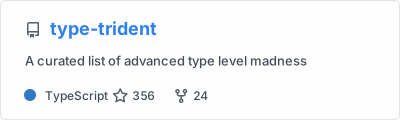](https://github.com/anuraghazra/type-trident)You can customize the appearance and behavior of the pinned repository card using the common options and exclusive options listed in the table below.
| Name | Description | Type | Default value |
|---|---|---|---|
show_owner |
Shows the repo's owner name. | boolean | false |
description_lines_count |
Manually set the number of lines for the description. Specified value will be clamped between 1 and 3. If this parameter is not specified, the number of lines will be automatically adjusted according to the actual length of the description. | number | null |
card_width |
Sets the card's width manually. | number | 400px (approx.) |
show_icons |
Shows icons near all stats enabled via show. |
boolean | true |
line_height |
Sets the line height between stats enabled via show. |
integer | 22 |
text_bold |
Uses bold text for all stats enabled via show. |
boolean | false |
number_format |
Switches between two available formats for displaying the numbers for all stats enabled via show: short (i.e. 6.6k) and long (i.e. 6626). |
enum | short |
show |
Shows additional items on stats card (i.e. prs_authored, prs_commented, prs_reviewed, issues_authored or issues_commented). |
string (comma-separated values) | null |
Use show_owner query option to include the repo's owner username:
Use show query option to display the user's contributions to the repository:
You can also specify the repo parameter in the form <user_or_organization>/<repository> to pin a repository from any user or organization, not just your own. This allows you to showcase repositories you contributed to, regardless of ownership.
GitHub gist pins allow you to pin gists in your GitHub profile using a GitHub profile readme.
Copy-paste this code into your readme and change the links.
Endpoint: api/gist?id=bbfce31e0217a3689c8d961a356cb10d
[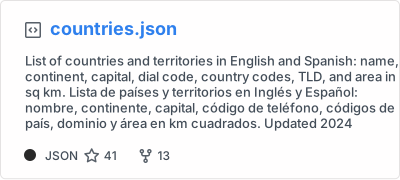](https://gist.github.com/Yizack/bbfce31e0217a3689c8d961a356cb10d/)You can customize the appearance and behavior of the gist card using the common options and exclusive options listed in the table below.
| Name | Description | Type | Default value |
|---|---|---|---|
show_owner |
Shows the gist's owner name. | boolean | false |
Use show_owner query option to include the gist's owner username
The top languages card shows your most frequently used languages.
Warning
By default, the language card shows language results only from public repositories. To include languages used in private repositories, allow GitHub-Stats-Extended to access your private contributions or deploy your own instance.
Warning
This card shows language usage only inside your own non-forked repositories, not depending on who the author of the commits is. It does not include your contributions into another users/organizations repositories. Currently there are no way to get this data from GitHub API. If you want this behavior to be improved you can support this feature request created by @rickstaa inside GitHub Community.
Warning
Currently this card shows data only about first 1000 repositories. This is because GitHub API limitations which cause downtimes of public instances (see #1471). In future this behavior will be improved by releasing GitHub action or providing environment variables for user's own instances.
Copy-paste this code into your readme and change the links.
Endpoint: api/top-langs?username=anuraghazra
[](https://github.com/stats-organization/github-stats-extended)You can customize the appearance and behavior of the top languages card using the common options and exclusive options listed in the table below.
| Name | Description | Type | Default value |
|---|---|---|---|
hide |
Hides the specified languages from card. | string (comma-separated values) | null |
hide_title |
Hides the title of your card. | boolean | false |
layout |
Switches between five available layouts normal & compact & donut & donut-vertical & pie. |
enum | normal |
card_width |
Sets the card's width manually. | number | 300 |
langs_count |
Shows more languages on the card, between 1-20. | integer | 5 for normal and donut, 6 for other layouts |
exclude_repo |
Excludes specified repositories. | string (comma-separated values) | null |
role |
Include repositories where the user has one of the specified roles (OWNER, ORGANIZATION_MEMBER, COLLABORATOR). | string (comma-separated values) | OWNER |
custom_title |
Sets a custom title for the card. | string | Most Used Languages |
disable_animations |
Disables all animations in the card. | boolean | false |
prog_bar_bg_color |
Background color of the bars. (Applies only to normal layout.) |
string (hex color) | #ddd |
hide_progress |
Uses the compact layout option, hides percentages, and removes the bars. | boolean | false |
size_weight |
Configures language stats algorithm (see Language stats algorithm). | integer | 1 |
count_weight |
Configures language stats algorithm (see Language stats algorithm). | integer | 0 |
stats_format |
Switches between two available formats for language's stats percentages and bytes. |
enum | percentages |
Warning
Language names and custom title should be URI-escaped, as specified in Percent Encoding (i.e: c++ should become c%2B%2B, jupyter notebook should become jupyter%20notebook, Most Used Languages should become Most%20Used%20Languages, etc.) You can use urlencoder.org to help you do this automatically.
We use the following algorithm to calculate the languages percentages on the language card:
ranking_index = (byte_count ^ size_weight) * (repo_count ^ count_weight)By default, only the byte count is used for determining the languages percentages shown on the language card (i.e. size_weight=1 and count_weight=0). You can, however, use the &size_weight= and &count_weight= options to weight the language usage calculation. The values must be positive real numbers. More details about the algorithm can be found here.
&size_weight=1&count_weight=0- (default) Orders by byte count.&size_weight=0.5&count_weight=0.5- (recommended) Uses both byte and repo count for ranking&size_weight=0&count_weight=1- Orders by repo count
You can use the &exclude_repo=repo1,repo2 parameter to exclude individual repositories.
You can use &hide=language1,language2 parameter to hide individual languages.
You can use the &langs_count= option to increase or decrease the number of languages shown on the card. Valid values are integers between 1 and 20 (inclusive). By default it was set to 5 for normal & donut and 6 for other layouts.
You can use the &layout=compact option to change the card design.
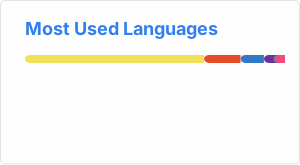You can use the &layout=donut option to change the card design.
[](https://github.com/stats-organization/github-stats-extended)You can use the &layout=donut-vertical option to change the card design.
[](https://github.com/stats-organization/github-stats-extended)You can use the &layout=pie option to change the card design.
[](https://github.com/stats-organization/github-stats-extended)You can use the &hide_progress=true option to hide the percentages and the progress bars (layout will be automatically set to compact).
You can use the &stats_format=bytes option to display the stats in bytes instead of percentage.
- Compact layout
- Donut Chart layout
- Donut Vertical Chart layout
- Pie Chart layout
- Hidden progress bars
- Display bytes instead of percentage
Warning
Please be aware that we currently only show data from WakaTime profiles that are public. You therefore have to make sure that BOTH Display code time publicly and Display languages, editors, os, categories publicly are enabled.
Warning
In case you just created a new WakaTime account, then it might take up to 24 hours until your stats will become visible on the WakaTime stats card.
Change the ?username= value to your WakaTime username.
[](https://wakatime.com/@alan)You can customize the appearance and behavior of the WakaTime stats card using the common options and exclusive options listed in the table below.
| Name | Description | Type | Default value |
|---|---|---|---|
hide |
Hides the languages specified from the card. | string (comma-separated values) | null |
hide_title |
Hides the title of your card. | boolean | false |
card_width |
Sets the card's width manually. | number | 495 |
line_height |
Sets the line height between text. | integer | 25 |
hide_progress |
Hides the progress bar and percentage. | boolean | false |
custom_title |
Sets a custom title for the card. | string | WakaTime Stats |
layout |
Switches between two available layouts default & compact. |
enum | default |
langs_count |
Limits the number of languages on the card, defaults to all reported languages. | integer | null |
api_domain |
Sets a custom API domain for the card, e.g. to use services like Hakatime or Wakapi | string | wakatime.com |
display_format |
Sets the WakaTime stats display format. Choose time to display time-based stats or percent to show percentages. |
enum | time |
disable_animations |
Disables all animations in the card. | boolean | false |
Warning
Custom title should be URI-escaped, as specified in Percent Encoding (i.e: WakaTime Stats should become WakaTime%20Stats). You can use urlencoder.org to help you do this automatically.
- Compact layout
- Default
- Hiding specific stats
- Showing additional stats
- Showing stats for a specific repository
- Showing stats for a specific organization
- Showing icons
- Shows GitHub logo instead rank level
- Shows user rank percentile instead of rank level
- Customize Border Color
- Include All Commits
- Themes
Choose from any of the default themes
- Gradient
- Customizing stats card
- Setting card locale
- Customizing repo card
- Gist card
- Customizing gist card
- Top languages
- WakaTime card
By default, GitHub does not lay out the cards side by side. To do that, you can use such approaches:
<a href="https://github-stats-extended.vercel.app/api?username=anuraghazra">
  <img height=200 align="center" src="https://github-stats-extended.vercel.app/api?username=anuraghazra" />
</a>
<a href="https://github-stats-extended.vercel.app/api/top-langs?username=anuraghazra&layout=compact&langs_count=8&card_width=320">
  <img height=200 align="center" src="https://github-stats-extended.vercel.app/api/top-langs?username=anuraghazra&layout=compact&langs_count=8&card_width=320" />
</a>
👀 Show example
<a href="https://github.com/anuraghazra/github-readme-stats">
  <img align="center" src="https://github-stats-extended.vercel.app/api/pin/?username=anuraghazra&repo=github-readme-stats" />
</a>
<a href="https://github.com/anuraghazra/convoychat">
  <img align="center" src="https://github-stats-extended.vercel.app/api/pin/?username=anuraghazra&repo=convoychat" />
</a>