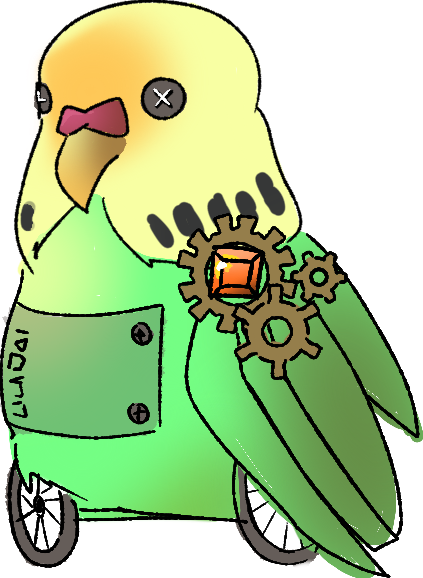
Twitch Plays Llm a text-based choose-your-own-adventure game (ie. AI dungeon) set within a specific theme. For the time theme, our game has integrated by default a story where the main character is a novelty version of our code jam host, TimeEnjoyed/Esther. Esther is described as a bird enthusiast, artist, and programmer with time related superpowers. She also has a number of "voices" in her head that control her actions that are referred to as her "Twitch". The game is played collaboratively through Twitch chat. Read more about the vision for this project within this document.
   !action <action> - Perform an action within the game
   !say <message> - Say something within the game
   !vote <num> - Vote for a numbered prompt to perform an action
   !leaderboard - Show the leaderboard
   !points - Check your points
!help - Show this message !reset - resets the game context and history to the initial story message
!modvote - add a significant number of votes to a particular action so that it is chosen
!endvote - ends the vote countdown early
!givepoints <user> <num> - gives the user a number of specified pointsYou will need to create a .env file (.env example is given in repo and defined below) to contain your API keys and other configuration information.
In addition, in the twitch_plays_llm folder, config.py will contain certain const variables that you can choose to modify, such as:
vote_delay: int = 20 # timer countdown in seconds
vote_points: int = 100  # points give per vote for all users
action_cost: int = 100 # points required per action for all users
vote_accumulation: int = 20 # points per voting round for all users
points_earned_per_vote: int = 100 # points earned per vote for the user who is voted for
Default values are already provided and playtested.
The intended gameplay is that twitch users will type !action and !say commands to propose actions to happen in reaction to gameplay prompts. The actions will cost a small amount of points (maintained by the bot, with first actions being free), and players will vote for each other on who has the best/most interesting prompt. Points are currently balanced to act more like a leaderboard system to encourage participation and cooperation.
Points are acquired by:
- A player votes for a different player's propmt (100)
- A player's prompt is voted on by another player (100 per vote received)
- A player's prompt is chosen to be the action that is used (100)
- A player is in the list of active chatters while votes are happening (20 points per voting round)
- A mod can give any number of points to a player
Points are subtracted by:
- A player submits an action (100)
This project is a standard Python package and can be installed via pip. View below for more specific instructions.
- Python 3.10.11 (other versions will likely run, but have not been verified)
- Node.js (needed for javascript UI)
- An OpenAI API key
- Twitch bot oauth credentials
-
Set up a virtual environment:
python -m venv .venv  # Setup a virtual environment
.venv\Scripts\activate  # Activate virtual environment
-
Install the package in editable mode with development dependencies:
pip install -e ".[dev]" # Install the local folder as a Python package
-
Install the Javascript dependencies by navigating to the the twitch-plays-llm folder and running the following:
npm install
-
Setup the environment: Copy the
.env.examplefile to.envand fill out the fields (feel free to ask someone for test credentials).twitch_bot_username=_bot_name twitch_bot_client_id=oauth:abc123 twitch_channel_name=your_channel_name openai_api_key=sk-abc123 vote_delay=4
-
Run the executables:
# Make sure to run beforehand: source .venv/bin/activate
twitch-plays-llm run # run the python executable in the general TwitchPlaysLLMTimeTraveler Folder
twitch-plays-llm -h  # View the available commands
To run the frontend WebUI, in a separate terminal, navigate to twitch-plays-llm folder and run:
npm start
-
Set up a virtual environment:
python3 -m venv .venv  # Setup a virtual environment
source .venv/bin/activate  # Activate virtual environment
-
Install the package in editable mode with development dependencies:
pip install -e '.[dev]' # Install the local folder as a Python package
-
Install the Javascript dependencies by navigating to the the twitch-plays-llm folder and running the following:
npm install
-
Setup the environment: Copy the
.env.examplefile to.envand fill out the fields (feel free to ask someone for test credentials).twitch_bot_username=_bot_name twitch_bot_client_id=oauth:abc123 twitch_channel_name=your_channel_name openai_api_key=sk-abc123 vote_delay=4
-
Run the executables:
# Make sure to run beforehand: source .venv/bin/activate
twitch-plays-llm run # run the python executable in the general TwitchPlaysLLMTimeTraveler Folder
twitch-plays-llm -h  # View the available commands
To run the frontend WebUI, in a separate terminal, navigate to twitch-plays-llm folder and run:
npm start
To run formatting, run the following:
# Make sure to activate the virtual environment before running this to access the executables
isort . --profile attrs; blue . --line-length 88