dinit_graph parses dinit (https://github.com/davmac314/dinit) service
files and generates a dependency graph in hiearch YAML format
(https://github.com/asherikov/hiearch). Service files are collected from a set
of input directories.
pipx install dinit-graph
There are two kinds of output:
- Service dependency graph.
- Dependency graph style which specifies visualization parameters.
Both files have to be passed to hiearch for diagram generation.
usage: dinit_graph [-h] [-d DIRECTORIES [DIRECTORIES ...]] [-s [SERVICES ...]] [-o OUTPUT] [-S STYLE]

Parse dinit service files and generate a dependency graph in hiearch YAML format.

options:
  -h, --help            show this help message and exit
  -d DIRECTORIES [DIRECTORIES ...], --directories DIRECTORIES [DIRECTORIES ...]
                        Directories to traverse for dinit service files
  -s [SERVICES ...], --services [SERVICES ...]
                        Optional list of service names to visualize (if not provided, all services are visualized)
  -o OUTPUT, --output OUTPUT
                        Output file (default: stdout)
  -S STYLE, --style STYLE
                        Output hiearch style to the given input file
- Generate style file:
dinit-graph -S graph_style.yaml
- Parse services in the given directory and print graph to standard output:
dinit-graph -d /path/to/service/directory
- Perform both operations simultaneously:
dinit-graph -S graph_style.yaml -d /path/to/service/directory
- Generate a complete example with sample services:
# Generate the style file
dinit-graph -S graph_style.yaml

# Generate the graph from sample services
dinit-graph -d /path/to/service/directory -o graph.yaml

# Generate the SVG using hiearch (assuming it's installed)
hiearch graph.yaml graph_style.yaml
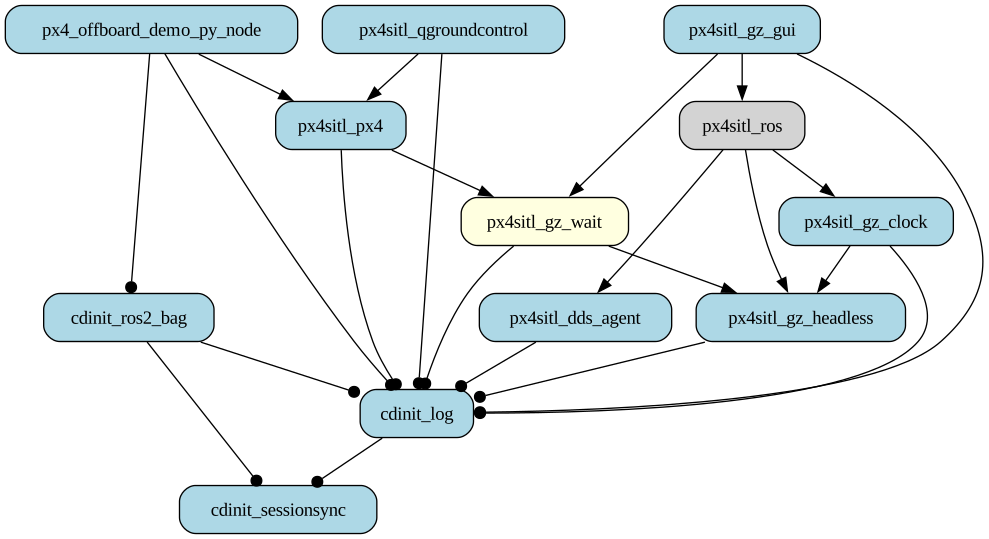
Different colors and arrow styles represent different service types and their dependencies.