



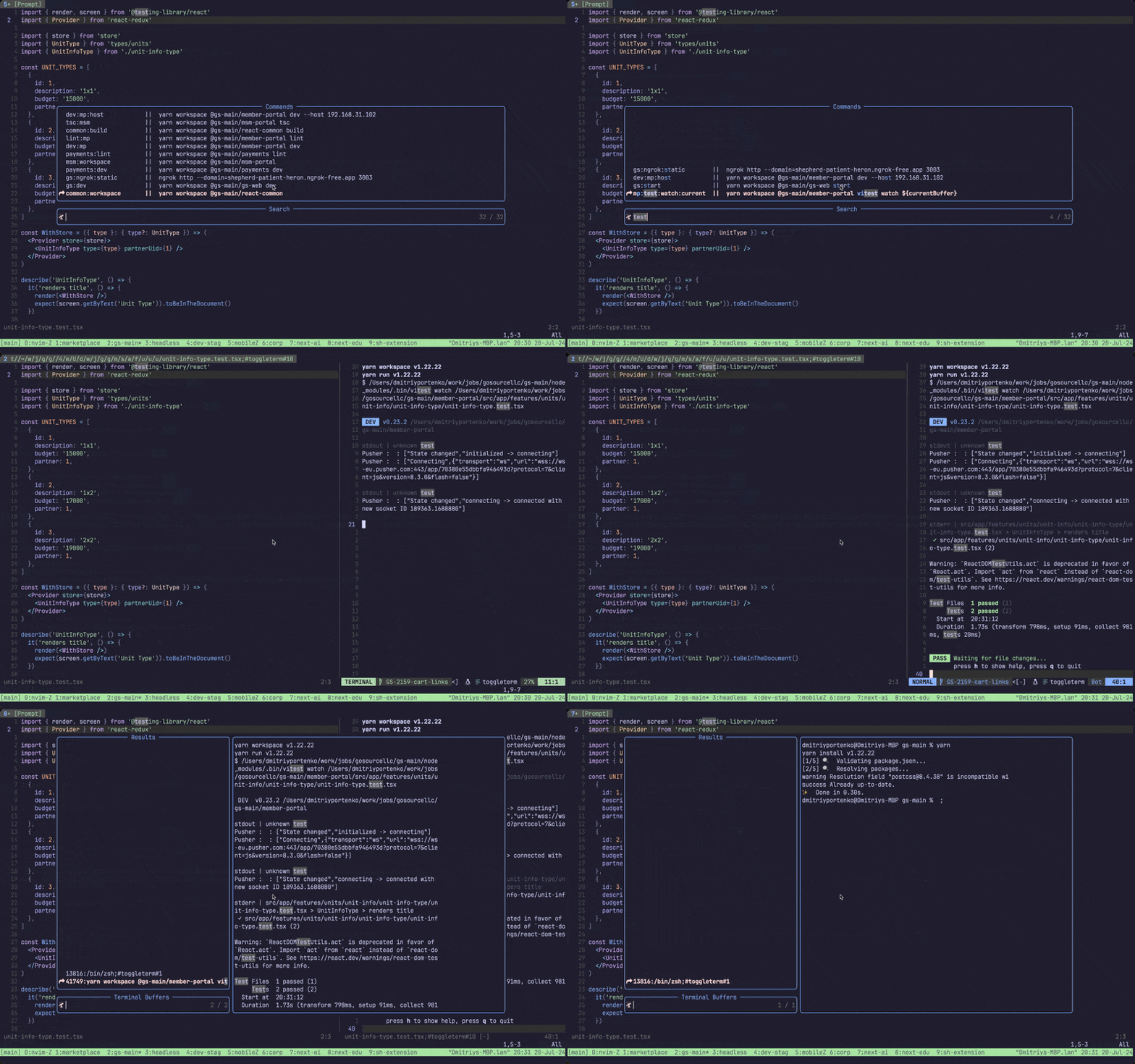
Quickly run your project cli commands with Telescope and ToggleTerm.
Lazy config
{
  "dimaportenko/project-cli-commands.nvim",

  dependencies = {
    "akinsho/toggleterm.nvim",
    "nvim-telescope/telescope.nvim",
  },

  -- optional keymap config
  config = function()
    local OpenActions = require('project_cli_commands.open_actions')
    local RunActions = require('project_cli_commands.actions')

    local config = {
      -- Optional: override the global config path
      -- Default: vim.fn.stdpath('config') .. '/project-cli-commands.config.json'
      -- global_config_path = vim.fn.stdpath('config') .. '/project-cli-commands.config.json',

      -- Key mappings bound inside the telescope window
      running_telescope_mapping = {
        ['<C-c>'] = RunActions.exit_terminal,
        ['<C-f>'] = RunActions.open_float,
        ['<C-v>'] = RunActions.open_vertical,
        ['<C-h>'] = RunActions.open_horizontal,
      },
      open_telescope_mapping = {
        { mode = 'i', key = '<CR>',  action = OpenActions.execute_script_vertical },
        { mode = 'n', key = '<CR>',  action = OpenActions.execute_script_vertical },
        { mode = 'i', key = '<C-h>', action = OpenActions.execute_script },
        { mode = 'n', key = '<C-h>', action = OpenActions.execute_script },
        { mode = 'i', key = '<C-i>', action = OpenActions.execute_script_with_input },
        { mode = 'n', key = '<C-i>', action = OpenActions.execute_script_with_input },
        { mode = 'i', key = '<C-c>', action = OpenActions.copy_command_clipboard },
        { mode = 'n', key = '<C-c>', action = OpenActions.copy_command_clipboard },
        { mode = 'i', key = '<C-f>', action = OpenActions.execute_script_float },
        { mode = 'n', key = '<C-f>', action = OpenActions.execute_script_float },
        { mode = 'i', key = '<C-v>', action = OpenActions.execute_script_vertical },
        { mode = 'n', key = '<C-v>', action = OpenActions.execute_script_vertical },
      }
    }

    require('project_cli_commands').setup(config)
  end
}Configuration can be stored in two places:
- Global config:
vim.fn.stdpath('config') .. '/project-cli-commands.config.json'by default - Project config:
.nvim/config.json
Both files use the same JSON schema. When both files exist, the plugin merges them with this precedence:
- Project config overrides global config for top-level keys
- Commands with the same name are overridden by project config
- Keys that exist only in global config remain available
If neither file exists and you run Telescope project_cli_commands open, the plugin asks to create .nvim/config.json in the current project.
Example of config.json:
{
  "env": ".env",
  "commands": {
    "ls:la": "ls -tls",
    "current:ls": "ls -la ${currentBuffer}",
    "print:env": "echo $EXPO_TOKEN",
    "print:env:local": {
      "name": "Print local token",
      "description": "Echo EXPO_TOKEN from .env.local",
      "cmd": "echo $EXPO_TOKEN",
      "env": ".env.local",
      "after": "Telescope find_files"
    }
  }
}env- (optional) path to the environment file. It will be loaded before running the command. Relative paths are resolved from the directory containing the config file that defines them — Neovim's config directory for global config and.nvim/for project config. Absolute paths are used as-is.commands- list of termainal commands.key- command name.value- (string) terminal command to run.value- (table) command configuration.name- (optional) display name shown in Telescope instead of the command key.description- (optional) text shown in Telescope aftername(or key ifnameis missing).cmd- terminal command to run.env- (optional) path to the environment file. It will be loaded before running the command.after- (optional) neovim command to run after the terminal command.
Example merge behavior (global + project override):
Global vim.fn.stdpath('config') .. '/project-cli-commands.config.json'
{
  "env": ".env.shared",
  "commands": {
    "test:all": "npm test",
    "lint": "npm run lint"
  }
}
Project .nvim/config.json
{
  "commands": {
    "test:all": "pnpm test",
    "build": "pnpm build"
  }
}
Merged result used by the picker:
{
  "env": ".env.shared",
  "commands": {
    "test:all": "pnpm test",
    "lint": "npm run lint",
    "build": "pnpm build"
  }
}
Telescope project_cli_commands open- open telescope with list of commands fromconfig.json. Where you can pick one to run.Telescope project_cli_commands running- open telescope with list of running commands. Where you can toggle terminal for it or stop them.
--
vim.api.nvim_set_keymap("n", "<leader>p", ":Telescope project_cli_commands open<cr>", { noremap = true, silent = true })
vim.api.nvim_set_keymap("n", "<leader>;", ":Telescope project_cli_commands running<cr>", { noremap = true, silent = true })You can open terminal for command in float, vertical and horizontal mode.
You can run command with input. Basic use case is when you want to add extra arguments to your terminal command.
By pressing Ctrl+c (default keymap) you can copy command to clipboard.
You can run neovim command after terminal command is finished.
You can load environment variables from file before running the command.
For example you would like to run test for current buffer you can configure it like this
{
  "commands": {
    "test:current": "jest ${currentBuffer}"
  }
}You can open list of running commands with Telescope project_cli_commands running. There you can show/hide terminal for each command. Or you can stop running command.
-
keymap open toggleterm with different positions (e.g. float like rnstart cmd)
-
merge telescope-toggleterm plugin with this one
-
add vertical open option
-
add keymaps config
-
add new config templates setup
-
add environment variables to run commands
-
table config for commands
-
after command (e.g. run 'LspRestart' after terminal command)
-
current directory path variable ${currentDirectory}
-
scroll preview content
-
copy to clipboard with ${currentBuffer}
-
add readme
- add installation instructions
- keymaps setup
- features description and examples
- demo gif
- full demo video (maybe on youtube)