


mpmq is a Python package for running the same function across multiple processes while capturing worker log messages in a central message queue. It is built for programs that need controlled parallel execution, per-worker inputs, and a clean way to observe what workers are doing while they run.
Raw multiprocessing gives you processes, but you still end up writing glue code for:
- feeding each worker input
- limiting concurrency
- collecting results
- handling worker logs
mpmq handles that for you with a simple, consistent execution model.
mpmq runs a function across multiple processes, passing each worker its own input and optionally shared data. Worker log messages are routed back to the parent process through a queue, and results are collected when execution completes. You define the work and inputs. mpmq handles process management, concurrency, message forwarding, and result collection.
mpmq is a lightweight wrapper around Python multiprocessing that lets you run a function across multiple processes, centralize worker log messages, and collect results — without writing the plumbing yourself.
pip install mpmqmpmq.MPmq(function, process_data=None, shared_data=None, processes_to_start=None)
Function executed in each worker process.
List of dictionaries. Each dictionary is passed to one worker. Total length = total executions.
Dictionary passed to all workers.
Max number of concurrent workers. Extra work is queued and executed as workers complete.
Starts execution and waits for all workers to complete.
Returns a list of results from each worker.
If raise_if_error=True, raises an exception if any worker fails.
Hook for handling log messages from workers while execution is running.
offset- index of worker inprocess_datamessage- logged message
This is the key extension point for building tools like progress displays or terminal UIs.
The MPmq class is designed to be subclassed. By overriding process_message, you can handle log messages from worker processes as they are received. The example below shows how to do this.
The example parallizezes a task across multiple processes using a pool of worker processes. Status of each worker is shown as a Progress Bar, as each Child worker in the pool completes an item defined in the task the Parent updates a Progress Bar.
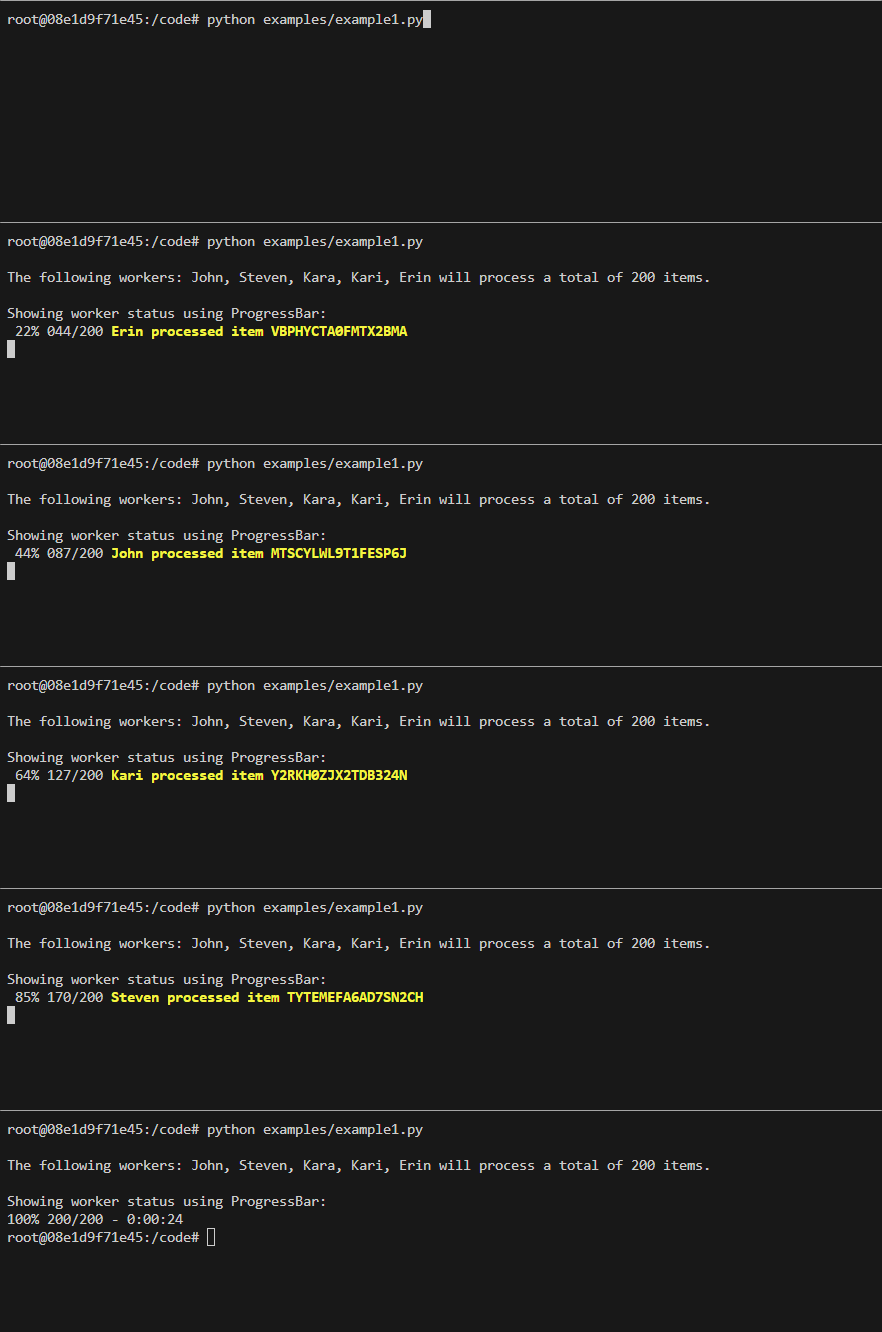
The example parallizezes a task across multiple processes using a pool of worker processes. Status of each worker is shown using an array where each index of the array represents an individual worker, as each Child worker in the pool completes the associated item in the List is updated with the completed message.
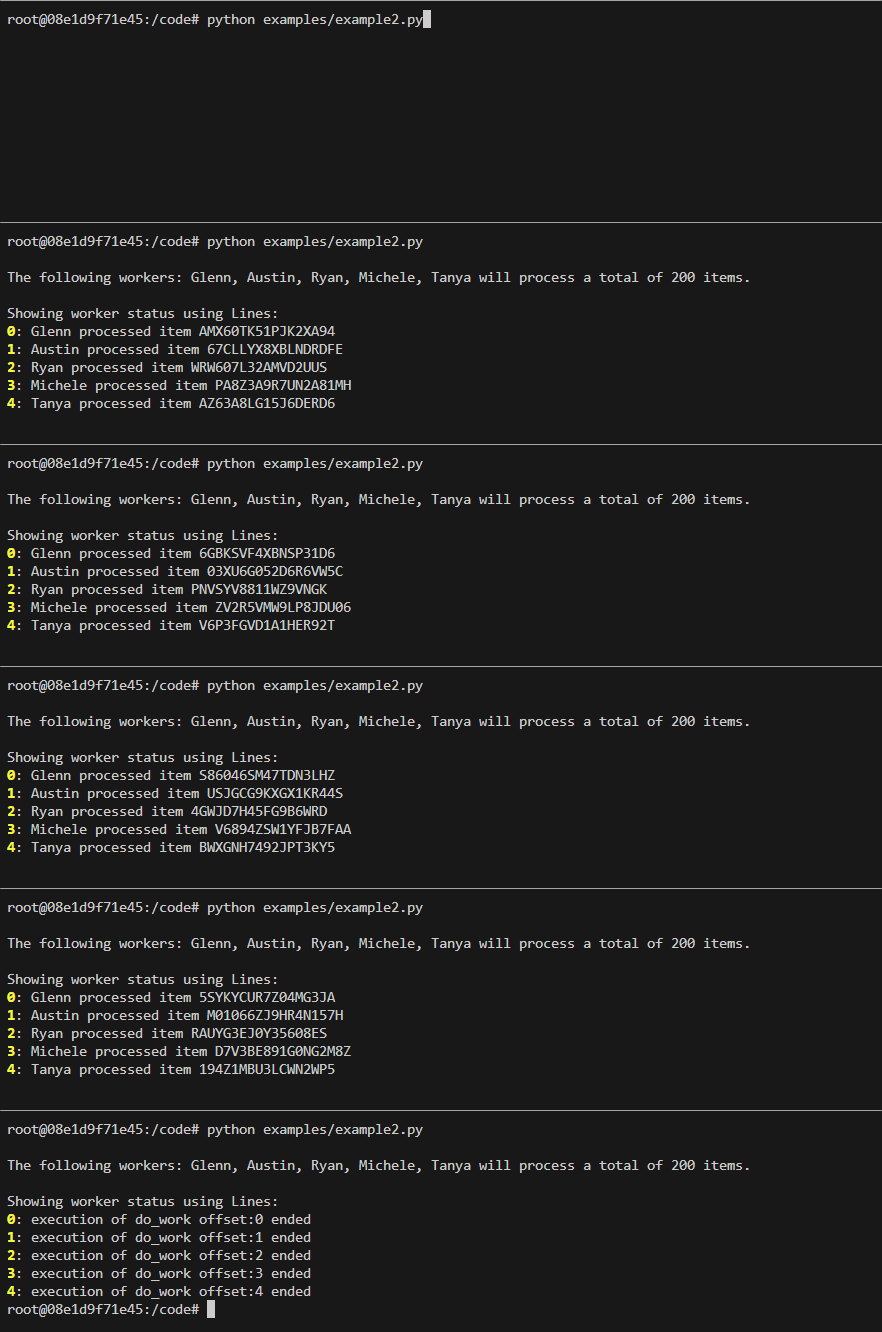
-
mpcursesAn abstraction of the Python curses and multiprocessing libraries providing function execution and runtime visualization capabilities -
mppbarsScale execution of a function across multiple across a number of background processes while displaying their execution status via a progress bar -
mp4ansiA simple ANSI-based terminal emulator that provides multi-processing capabilities
Clone the repository and ensure the latest version of Docker is installed on your development server.
Build the Docker image:
docker image build \
-t mpmq:latest .
Run the Docker container:
docker container run \
--rm \
-it \
-v $PWD:/code \
mpmq:latest \
bash
Execute the build:
make dev