Sourcegraph extensions have been deprecated with the September 2022 Sourcegraph release. Learn more.
The repo and the docs below are kept to support older Sourcegraph versions.
A Sourcegraph extension that enhances GitHub with better HubSpot integration.
Status: beta
This extension currently only works on GitHub (and GitHub Enterprise), not on Sourcegraph or other code hosts.
- Install the Sourcegraph browser extension.
- In the Sourcegraph browser extension options menu, click the gear (⚙️) and enable Experimental link previews and Experimental text field completion.
- Enable the HubSpot extension in the Sourcegraph extension registry (requires sign-in to Sourcegraph).
- Configure the HubSpot extension in Sourcegraph user settings:
hubspot.apiKey. - Visit any text area, comment, PR, or issue on GitHub and try the features below.
If using GitHub Enterprise, right-click on the Sourcegraph browser extension icon when you're on a GitHub Enterprise page and select Enable Sourcegraph on this domain.
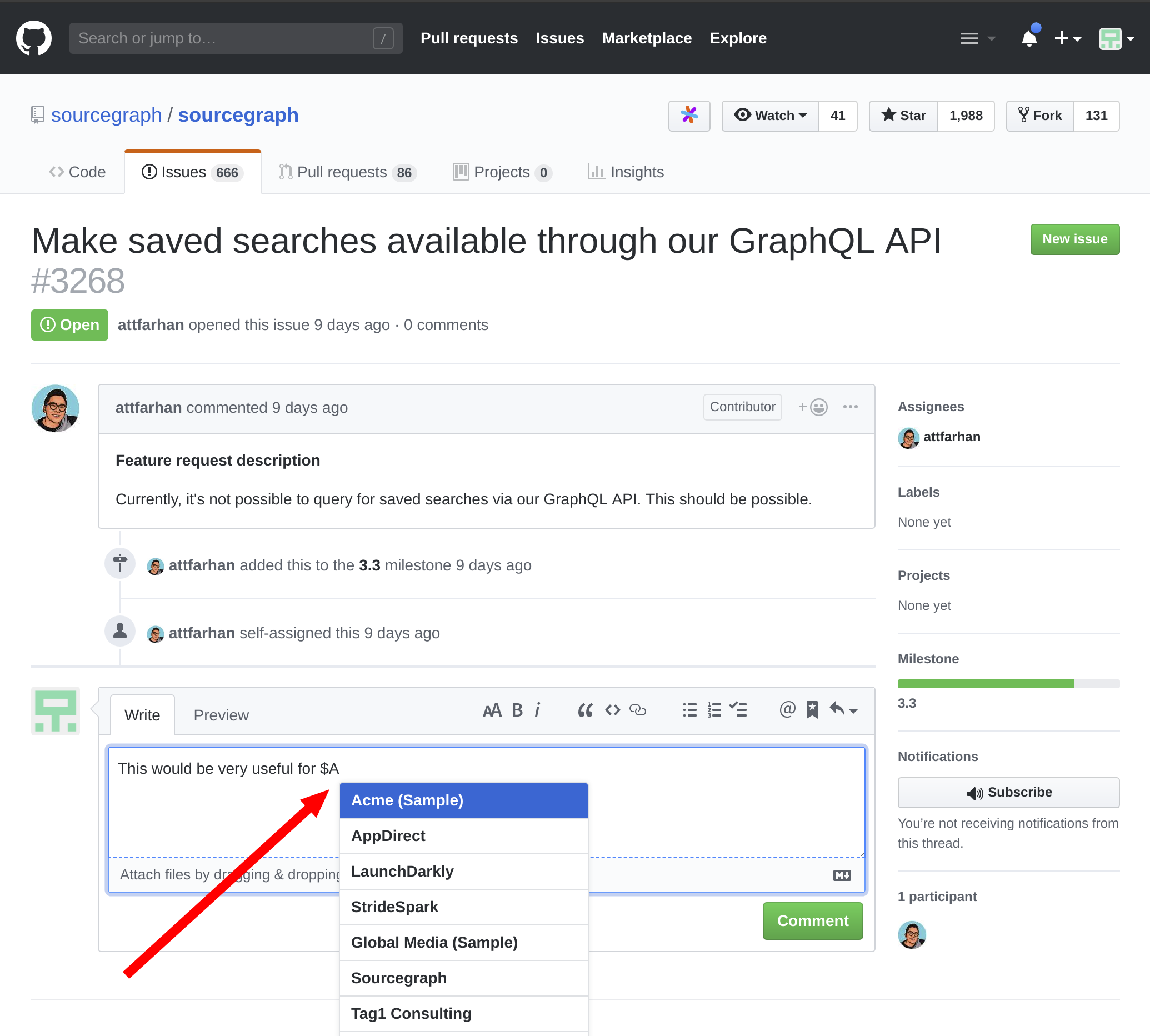
Just start typing the name of a customer in your HubSpot contacts (like Acme Corporation) to complete it! Select a company to insert its HubSpot URL into the text area. It works just like GitHub's built-in autocompletion for issues, PRs, and users.
This makes it easy to denote which customers care about a specific issue. (If your repository is public, no fear: HubSpot company URLs don't contain the company's name, so your customer names won't be exposed.)
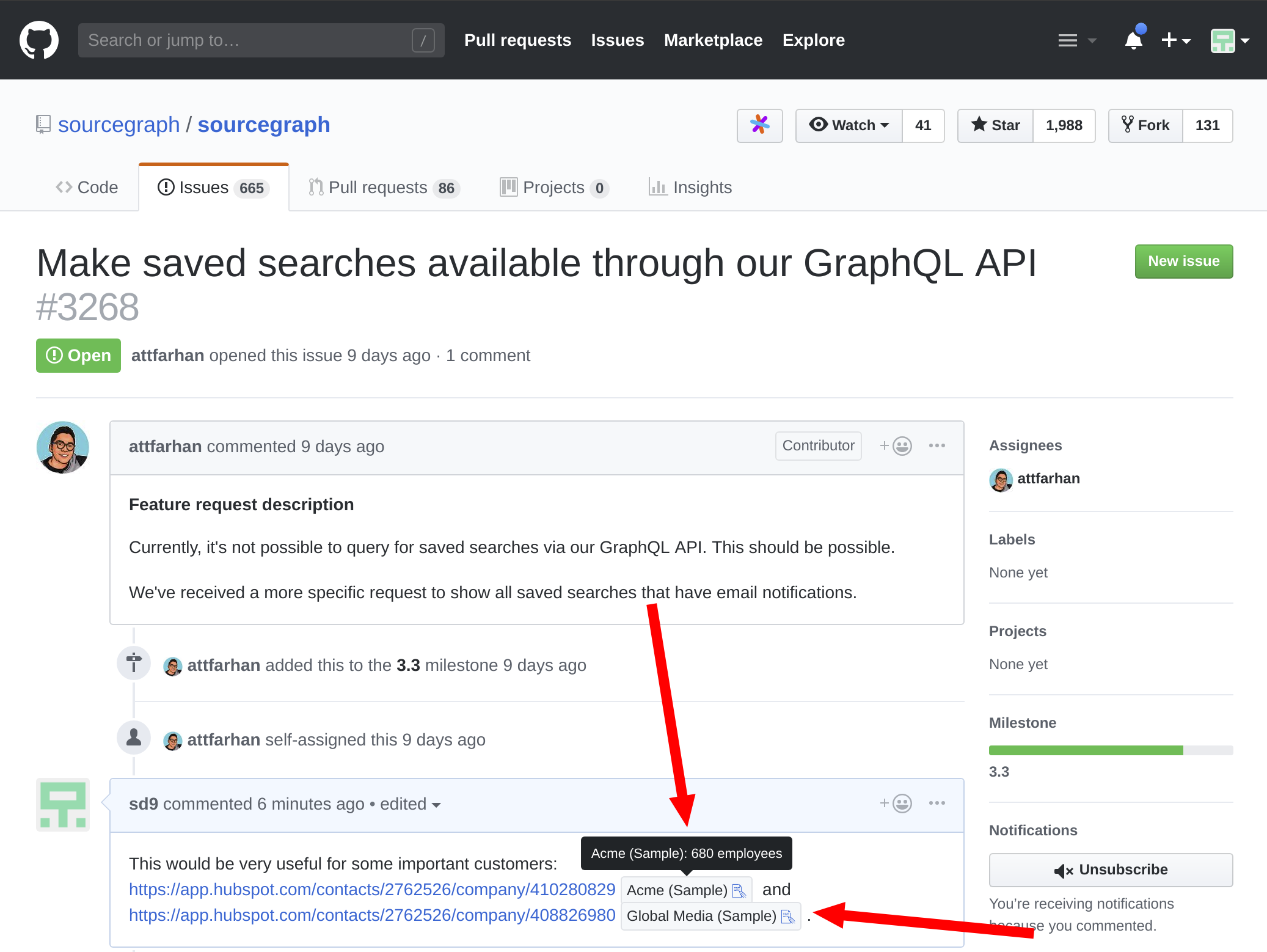
For any HubSpot company link that appears on GitHub (in a comment, issue, PR, or rendered Markdown file), you'll see a preview with the company name and other stats (such as number of employees, location, etc.).
This makes it easy to see which customers care about a specific issue. The emoji link lets you see all other issues that the same company is mentioned in, which is also very useful (to answer "what are all the issues a specific customer cares about?").