







In your pubspec.yaml
dependencies:
  badges: ^3.2.0
Attention! In Flutter 3.7 the Badge widget was introduced in the Material library, so to escape the ambiguous imports you need to import the package like this:
Option 1: namespace prefix
import 'package:badges/badges.dart' as badges;and then use the "badges.Badge" widget instead of the "Badge" widget. The same for all the classes from this package.
Option 2: hide Flutter's Material Badge widget
import 'package:badges/badges.dart';
import 'package:flutter/material.dart' hide Badge; badges.Badge(
badgeContent: Text('3'),
child: Icon(Icons.settings),
) badges.Badge(
position: badges.BadgePosition.topEnd(top: -10, end: -12),
showBadge: true,
ignorePointer: false,
onTap: () {},
badgeContent:
Icon(Icons.check, color: Colors.white, size: 10),
badgeAnimation: badges.BadgeAnimation.rotation(
animationDuration: Duration(seconds: 1),
colorChangeAnimationDuration: Duration(seconds: 1),
loopAnimation: false,
curve: Curves.fastOutSlowIn,
colorChangeAnimationCurve: Curves.easeInCubic,
),
badgeStyle: badges.BadgeStyle(
shape: badges.BadgeShape.square,
badgeColor: Colors.blue,
padding: EdgeInsets.all(5),
borderRadius: BorderRadius.circular(4),
borderSide: BorderSide(color: Colors.white, width: 2),
borderGradient: badges.BadgeGradient.linear(
colors: [Colors.red, Colors.black]),
badgeGradient: badges.BadgeGradient.linear(
colors: [Colors.blue, Colors.yellow],
begin: Alignment.topCenter,
end: Alignment.bottomCenter,
),
elevation: 0,
),
child: Text('Badge'),
),
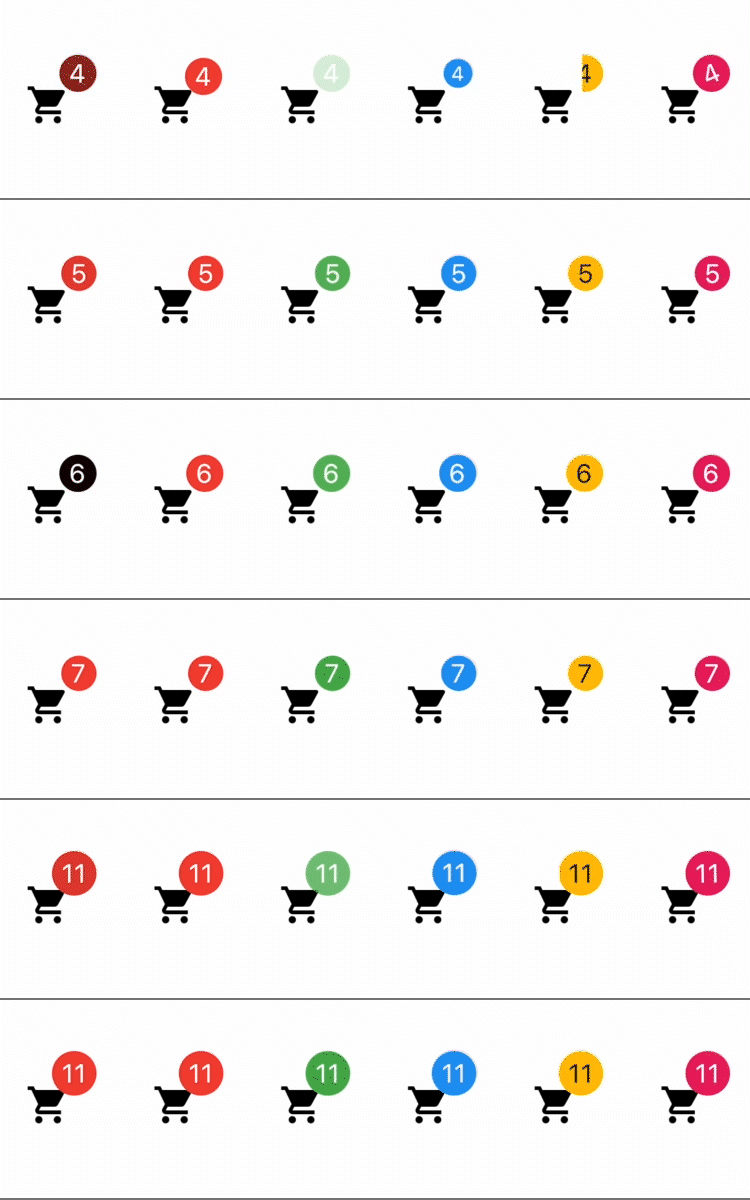
1) Color change animation 2) BadgeAnimation.slide 3) BadgeAnimation.fade 4) BadgeAnimation.scale 5) BadgeAnimation.size 6) BadgeAnimation.rotation
Also, loop animation is available, this will loop the animation until you stop it.
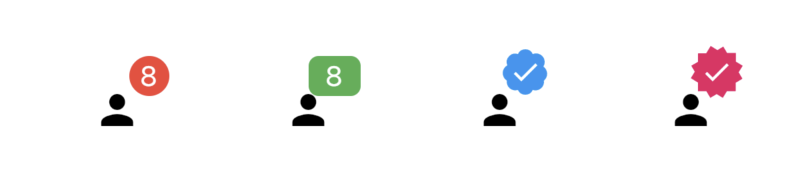
1) BadgeShape.circle 2) BadgeShape.square 3) BadgeShape.twitter 4) BadgeShape.instagram

and more to come!